Play it from the paid, ad-free tier of whatever service you already use, or download it to the device and play it offline. Those two routes give you sleep sounds without ads on any platform, and on most platforms they are the only two that reliably do it. A third exists if you would rather not subscribe to anything: own the files, and play them from the device's own player.
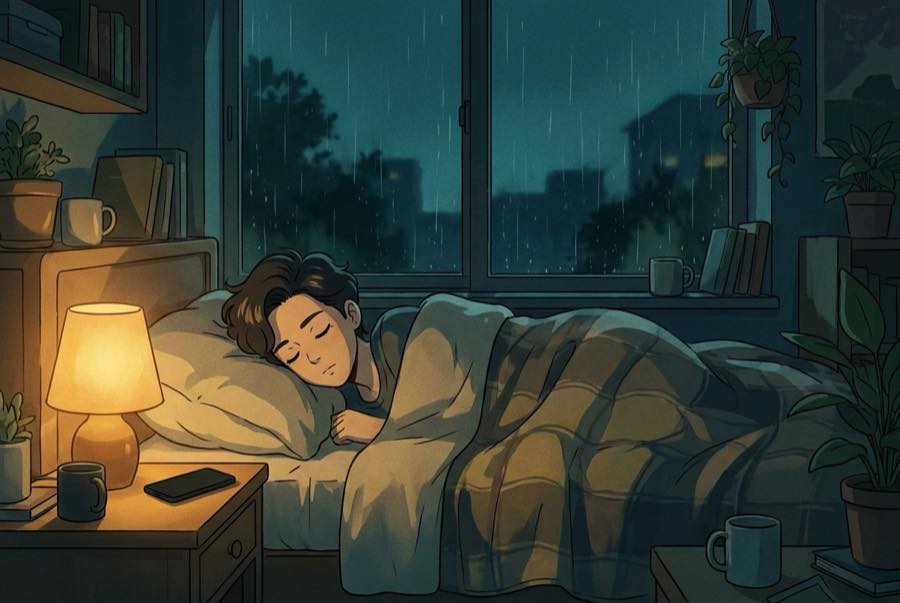
We can't be more specific than that, and you should be suspicious of anyone who is. Terms change, tiers get renamed, features move between plans. What doesn't change is the shape of the problem, and the shape of the problem is what this page is about — because an ad break is only the loudest of about five things that can reach into a sleeping room, and fixing one of them while leaving the other four in place is how people end up convinced that nothing works.
Why an interruption at 3am costs so much
The damage isn't really about volume. It's about contrast. You fell asleep with a low, even sound holding the room, and an ad doesn't simply arrive on top of that — it takes the rain away and puts something loud and eventful in its place. A steady sound helps mainly by raising the room's sound floor so smaller noises stand out less against it, which is exactly the arrangement an ad break dismantles for thirty seconds (why rain sounds help you sleep has the fuller version).
Then there's the second cost, the one nobody counts. Once you've been pulled up, you reach for the phone. The screen lights your face, you squint at a skip button, maybe you check the time while you're there, and now you're not a person who was briefly disturbed — you're a person who is awake, holding a bright rectangle, at 3:14am. Sleep in the back half of the night tends to run lighter anyway, which is part of why a small interruption then can cost so much more than the same interruption at midnight.
So the goal isn't only "fewer ads." It's a night where the phone never asks you for anything.
The five things that can actually interrupt a night
Worth knowing the whole list, because people fix the first one and get woken by the third.
Ad breaks between tracks. The obvious one. They tend to land at handoffs, which on a long playlist means several chances per night.
Autoplay into something else. This is the one people miss entirely. When your audio ends — and it will end if nothing is set to repeat — a player that helpfully continues into "what's next" can hand you a talk show, a trailer, a video with a voice in it, or a mix at a completely different level. There was no ad involved. You were still woken by a stranger talking.
Recommendations and up-next queues do a softer version of the same thing, sliding you sideways into related audio that shares a genre tag with rain but not a single one of the qualities that make rain workable overnight.
Notifications. A message, a delivery update, a group chat in another time zone, an app that decided 4am was a good moment to tell you something. If you silence the phone for the night, the one thing worth checking before you rely on it is that your alarm can still come through.
Calls. Different from notifications, because they're usually louder, longer, and harder to configure away. If certain people genuinely need to reach you at night — a parent on call, a partner working late — allow those contacts specifically rather than leaving the whole phone open to everyone.
There's a sixth item that isn't an interruption so much as an ending: the audio simply running out. That's a different fix and it lives on its own page — how to loop sleep sounds all night covers repeat, the timers to switch off, and the rest of the setup, and it's worth doing once alongside everything here.
Sleep sounds without ads: the three honest options
A paid tier of whatever you already use. The most straightforward route, and the one that requires no change in habit. Check what the tier actually covers, because "ad-free" and "offline downloads" are sometimes sold as separate things.
Offline playback. Audio saved to the device tends to be the most stable way to get through a night: nothing to buffer, nothing to re-fetch at 4am, no dropout when the router restarts itself. Do it in the evening while you're on wifi, and check whether the downloads expire on a schedule that will catch you out in a fortnight.
Files you own. Buying tracks outright, or using audio you already have with the device's built-in player, sidesteps the question rather than answering it. It's more work to set up and considerably more predictable to live with, which is a fair trade for anyone who has been burned twice.
Audit your own setup with one rehearsal
Don't find out at 3am. Find out at nine in the evening, with the lights on, in about five minutes.
Press play on the exact sound you intend to sleep to, on the exact app and the exact device, at a low level. Then leave it alone and stay in the room. What you're waiting for is a handoff — the moment one track ends and the next begins — because that's where the ad breaks live, and it's also where autoplay reveals itself. Let it pass at least one, ideally two.
Watch for three things. Did anything play that wasn't the sound you chose? When the audio moved on, did it move to something you picked, or something the app picked? And did the level stay put across the change, or did the next thing arrive noticeably louder?
If all three come out clean, your setup is fine and you can stop worrying about it. If any of them doesn't, you now know precisely which of the five interruptions you're dealing with, in daylight, fully awake, at no cost. You'll learn more about how your app behaves in five waking minutes than in three broken nights of guessing.
What we can and can't promise
Nothing inside Rain on the Roof — All Night Sleep interrupts you. No voice, no jingle, no swell, no jump in level between one track and the next, and no fade to silence at the end of anything — the tracks are cut to hand off without a gap. That's the part we control, and it's the part what makes a rain sound work explains.
The part we don't control is your player. Whether ad breaks land between our tracks is decided by the tier you're on, not by us, which is why the top of this page points at the tier and the download rather than at anything clever. Get that side right, set it to repeat, switch off any sleep timer, and it will keep going for as long as your setup lets it. If rain isn't your texture, ocean, fan hum, and forest all do the same job in a different accent, and they're indexed in the guides.
This article is for general information and isn't medical advice. If sleep problems persist, talk to your doctor.